Connect to the Trade Ideas Simulator
If you click the Brokerage Plus Sim button located in the Toolbar, a connection to our in-house Trade Ideas Simulator will automatically be established.

Alternatively, open the Brokers Tab of the Brokerage Plus Module and select Trade Ideas Simulated Trading - Connect from the dropdown.
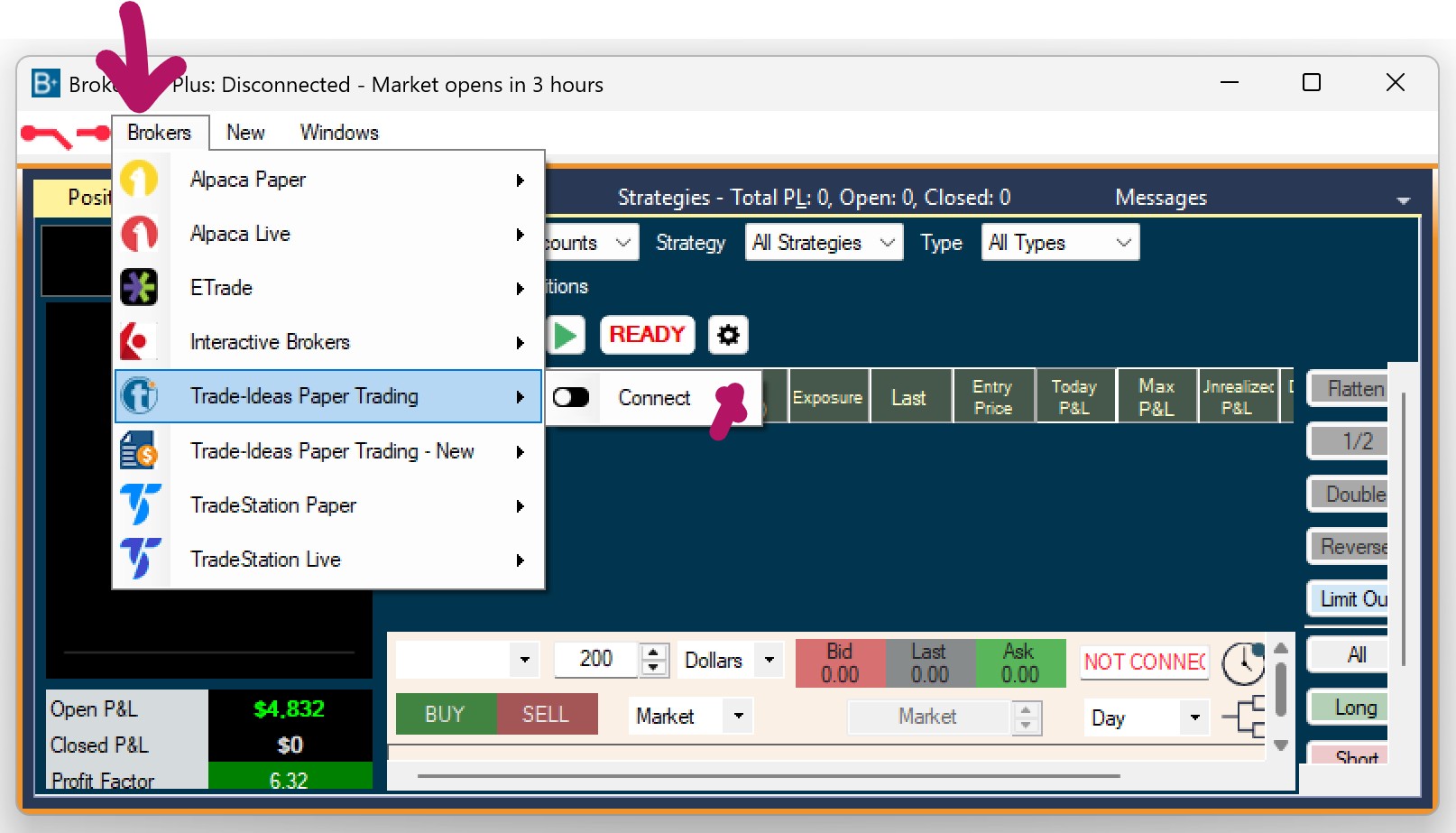
The connection bar will turn green and the Brokers Tab will display the number of established connections in brackets.
You can be connected to multiple accounts at the same time.
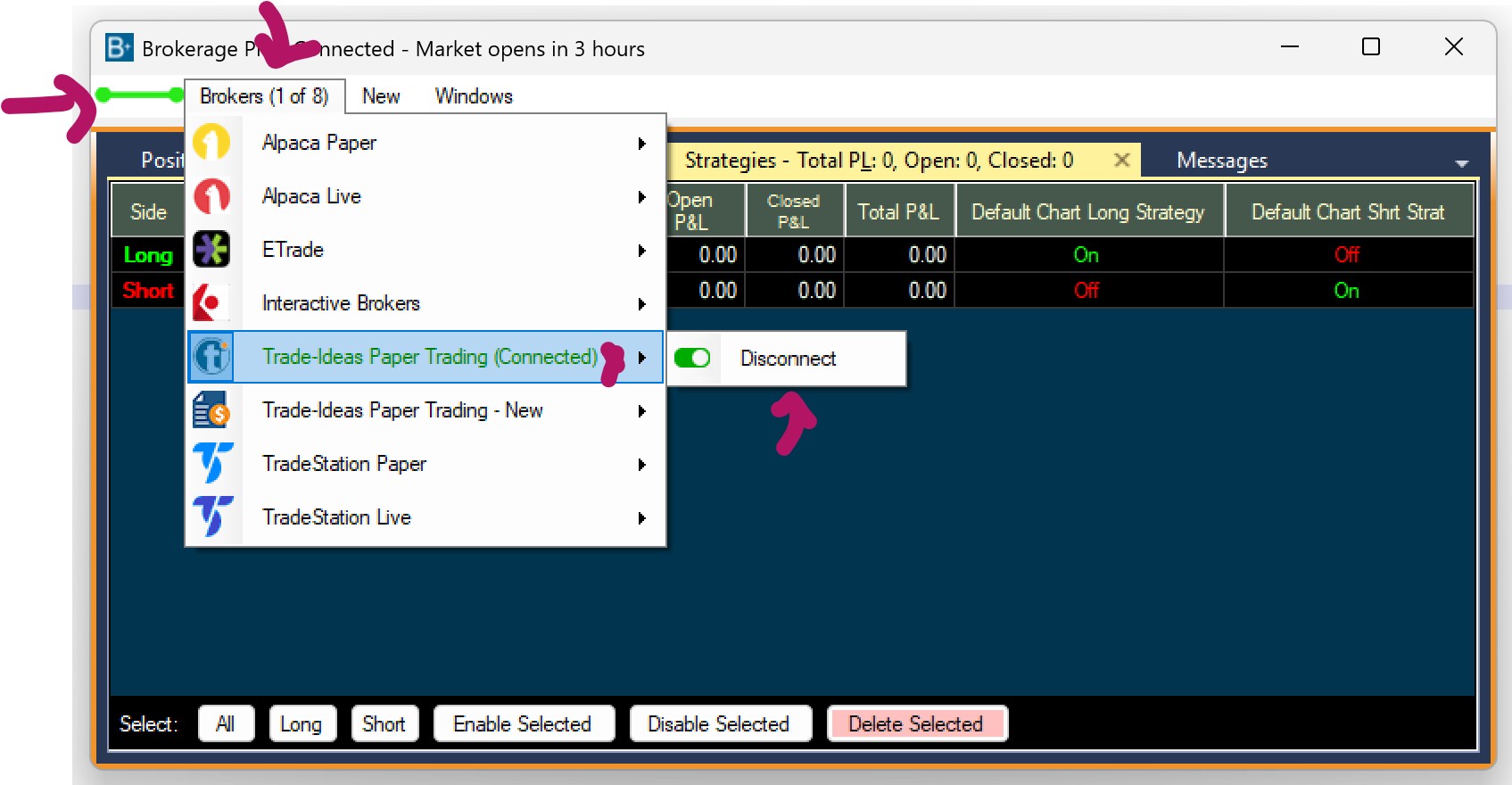
To disconnect, click the Brokers Tab, and select Trade Ideas Simulated Trading - Disconnect